Spotify Radar
A feature that enables users to discover music through a human-driven alternative to algorithmic recommendations.
Did you ever feel that your Spotify recommendations are too predictable?
You feel stuck in this loop and are constantly listening to the same music and Spotify algorithm doesn’t make it easier to find new music.
Being musically stuck in my Spotify bubble, it’s what inspired me to do research for an alternative to the algorithmic recommendations.
A feature that enables users to break their algorithmic bubbles by discovering music based on what nearby listeners are listening to.
On top of finding new music you are also absorbing the real soundtrack of a place.
On demand discovery
Radar seamlessly integrates into Spotify’s design without interrupting the listening experience.
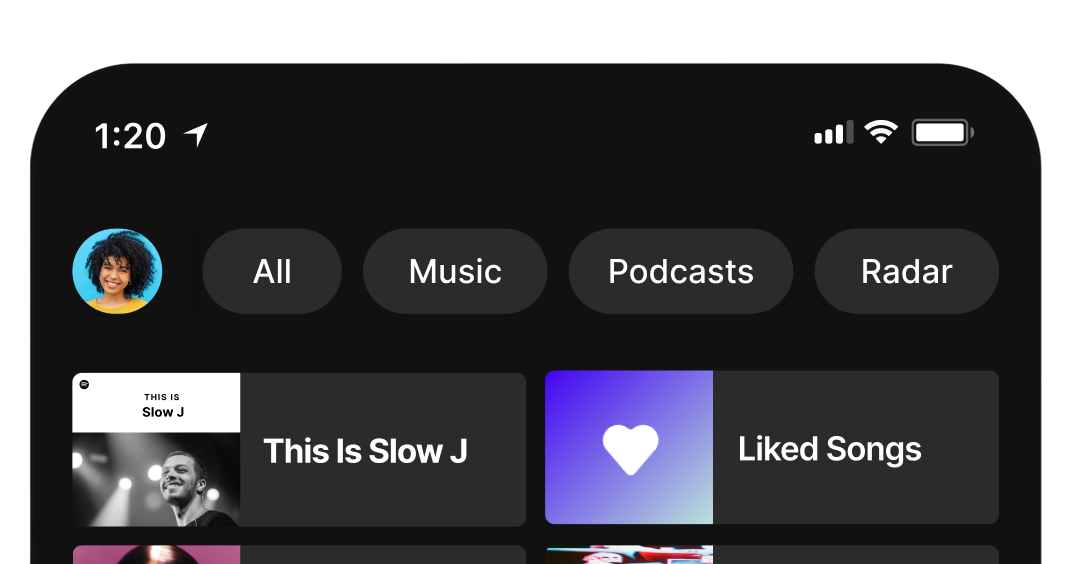
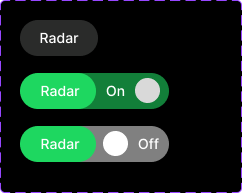
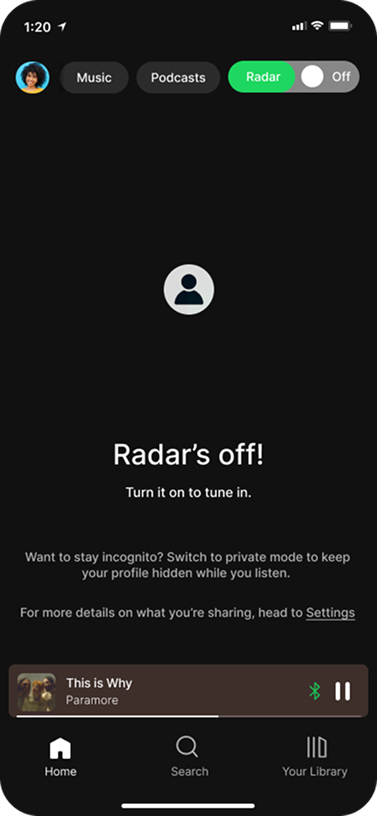
Users only see the on/off toggle after intentionally clicking the radar button, this gives the user full control over when to explore the feature.
Live scanning
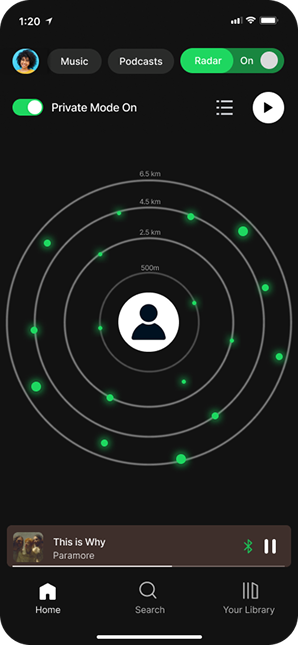
Once activated, Radar scans for nearby users. When the scan is complete other listeners appear as dots.
Sharing profile is an option
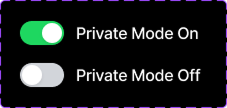
Turning off private mode changes the user icon to their profile picture in the radar, signaling they are now visible. Selecting any dot reveals that listener's profile (when shared) and automatically plays their current song in the media player.
While Spotify dominates music streaming, the discovery of new music is buried within social or algorithmic experiences.
Through exploratory research, reviewing articles about Spotify's algorithm, browsing Spotify sub-reddit, and researching their community page, combined with user surveys, I uncovered the key pain point:
Music discovery feels passive and algorithm driven
Users don't want another recommendation, they want intentional exploration. They want to stumble into music tied to where they are: commuting, traveling, exploring a new neighborhood.
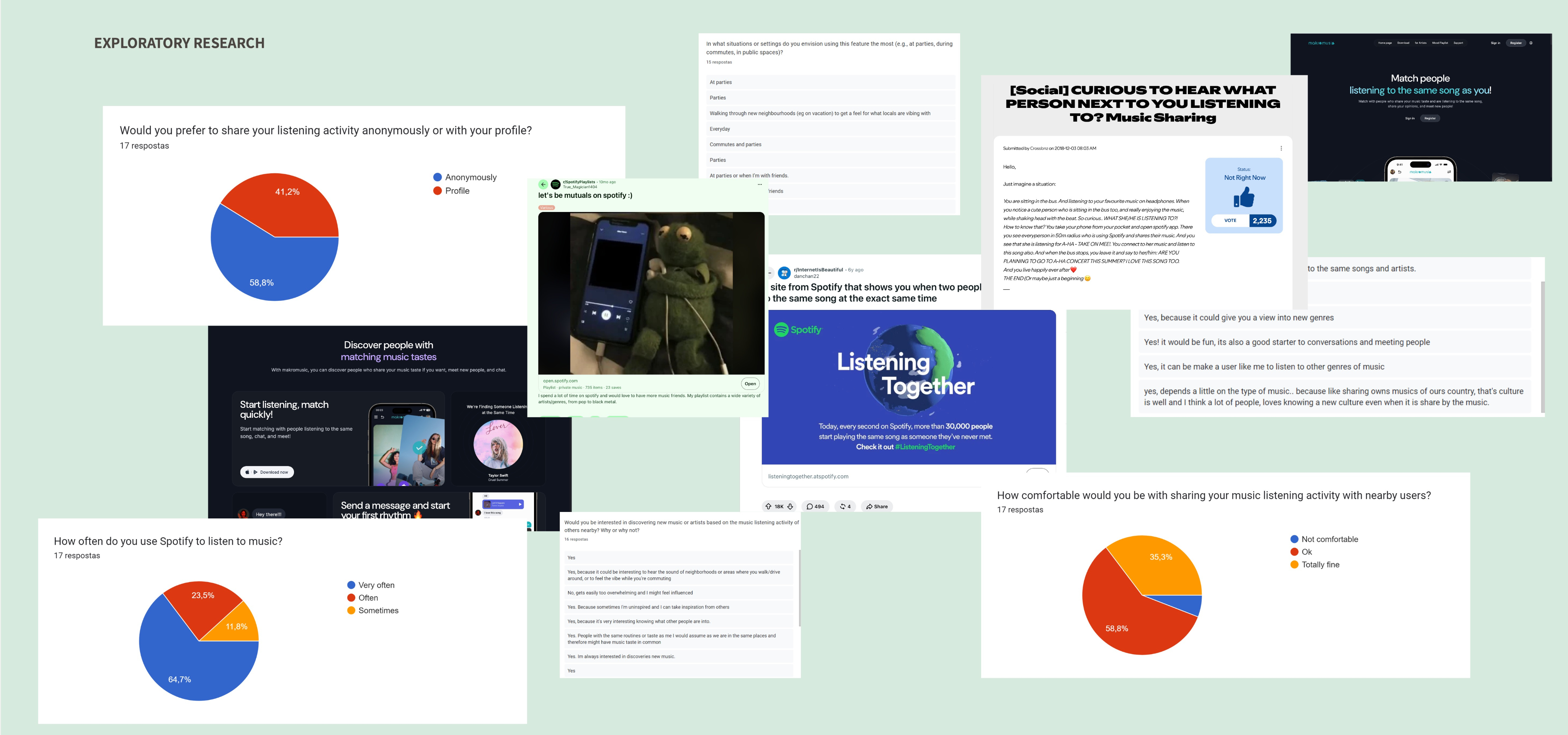
Over 2,000 people already asked Spotify for this
Users have already requested streamlined music discovery on Spotify's community page, but the company never turned these requests into a product.
This validated the opportunity.
It’s not only about escaping the algorithm
Users want to use this feature in different contexts such as commuting, traveling and exploring neighborhoods. Not necessarily to escape the algorithm but also to connect with the local music scene of a specific place.
Privacy and control are non-negotiable
Location-based music discovery only works if anonymity is protected. Users want intentional exploration with the surprise factor, but they won't trade their data or identity for it. Survey respondents were explicit: they'd use the feature only if privacy and control were guaranteed.
The focus is creating a safe context aware music discovery and not a social feature.
Two things shaped my initial design ideas:
- the feature had to feel native to Spotify. I wanted to extend something already existing, not create something entirely separate.
- Privacy had to be at the center. However, it’s a feature that asks users to share location data to find nearby listeners.
How do you enable discovery without sacrificing anonymity?
To answer the question I started by
Mapping the user’s mental model. To do that I outlined the listening experience in detail but focusing on what was necessary for an MVP. This scoping step helped me focus on the core interaction: finding music through nearby listeners.
Then came the wireframes. Using Miro, I created mid-fidelity wireframes to visually represent these concepts across three core screens: the home page, the radar page, and the song page.
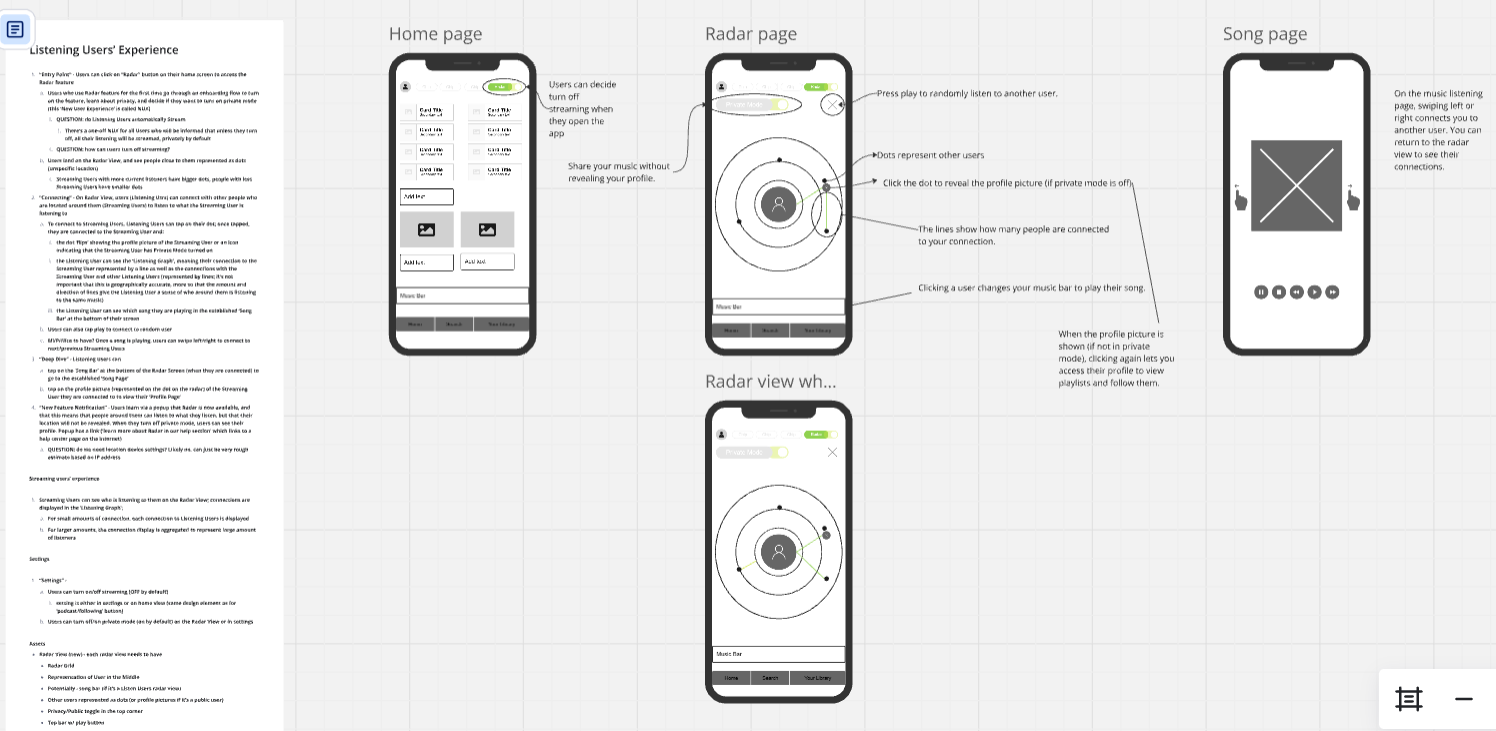
Radar feature
Challenge: Integrate Radar into Spotify's existing design and give users control over whether to use it.
Solution: A button in the top navigation alongside Music and Podcasts that defaults to off. Users click to open it, then toggle on if they want discovery, keeping it visually consistent with existing elements.
Radar & Privacy
Challenge: Create an intuitive, privacy-first design for discovering music nearby without revealing location or identity.
Solution: A radar visualization that shows proximity without precise location data, users see that someone within a certain radius is listening to the same song, but not where they are or which direction they're in.
At the center of the radar, users see a private icon by default. If they toggle private mode off, their profile picture replaces it, making the choice to share visible and intentional.
Long-Term Engagement
Explore ways to keep users engaged with the feature, such as create playlists that gather music people are listening to in your proximity, turning what's happening around you into a shareable, repeatable discovery.
Refinement
I would like to test the interaction with a broader audience to fine-tune details for better usability.